How to Optimize Scheduling for Efficient Patient Logistics

Every hospital faces hidden delays and mounting administrative costs when patient scheduling relies on outdated systems. For logistics managers aiming to improve efficiency, uncovering these inefficiencies sets the stage for smarter solutions. This guide shows how to map your current workflow, apply AI-driven scheduling approaches, and measure real-world improvements, helping you build a data-backed foundation for operational success in American healthcare environments.
Table of Contents
- Step 1: Assess Current Scheduling Workflows
- Step 2: Implement AI-Driven Scheduling Solutions
- Step 3: Integrate Real-Time Communication Tools
- Step 4: Validate Improvements With Performance Metrics
Quick Summary
| Key Point | Explanation |
|---|---|
| 1. Assess Current Workflows | Map the scheduling process to identify inefficiencies and document baseline metrics for future comparison. |
| 2. Implement AI Solutions | Choose AI-driven scheduling software to automate processes, improve accuracy, and reduce administrative burdens. |
| 3. Enhance Real-Time Communication | Use secure, healthcare-specific platforms to ensure instant updates and coordination among scheduling staff. |
| 4. Measure Performance Metrics | Regularly track and compare scheduling metrics to the established baseline to verify improvements and guide adjustments. |
Step 1: Assess current scheduling workflows
Before you can optimize patient scheduling, you need to understand what’s actually happening right now. This assessment reveals inefficiencies, bottlenecks, and opportunities that aren’t visible from a quick glance. Your goal is to document the current state so you can measure improvements later.
Start by mapping your entire scheduling process from start to finish. Write down every step a patient goes through, from initial contact through arrival or service delivery. Include who handles each task, what tools they use, and how long each step typically takes. Don’t skip the mundane details—those gaps between steps often hide major time wasters.
Document your current appointment or scheduling system by listing these details:
- Current scheduling method (phone, online portal, email, paper, or mixed)
- Staff involved in scheduling decisions and their responsibilities
- Appointment types offered and how they differ in duration or requirements
- Peak times when scheduling demands spike
- No-show rates and cancellation patterns
- Average booking lead time (how far in advance patients schedule)
- Buffer time currently built into schedules
- Systems used for tracking appointments and patient information
Next, identify where problems actually occur. Ask your scheduling staff what frustrates them most. Track metrics like appointment wait times, scheduling staff workload, and patient delays. Many hospitals find that wave scheduling approaches or innovative appointment models help accommodate varying patient needs while maintaining efficiency.
Observe your workflow for a typical day or week. Note when staff feels overwhelmed, when patients express frustration, and when appointments run behind. These observations reveal real-world constraints that spreadsheets might miss.
Understanding your baseline performance is essential—you cannot optimize what you do not measure. Capture current metrics before making changes so you can prove improvements later.
Analyze the data you’ve collected. Calculate appointment no-show percentages, average scheduling time per appointment, staff hours spent on scheduling tasks, and patient satisfaction scores if available. Look for patterns: Do certain appointment types always overrun? Do specific time slots have higher cancellation rates? Are there recurring scheduling conflicts?
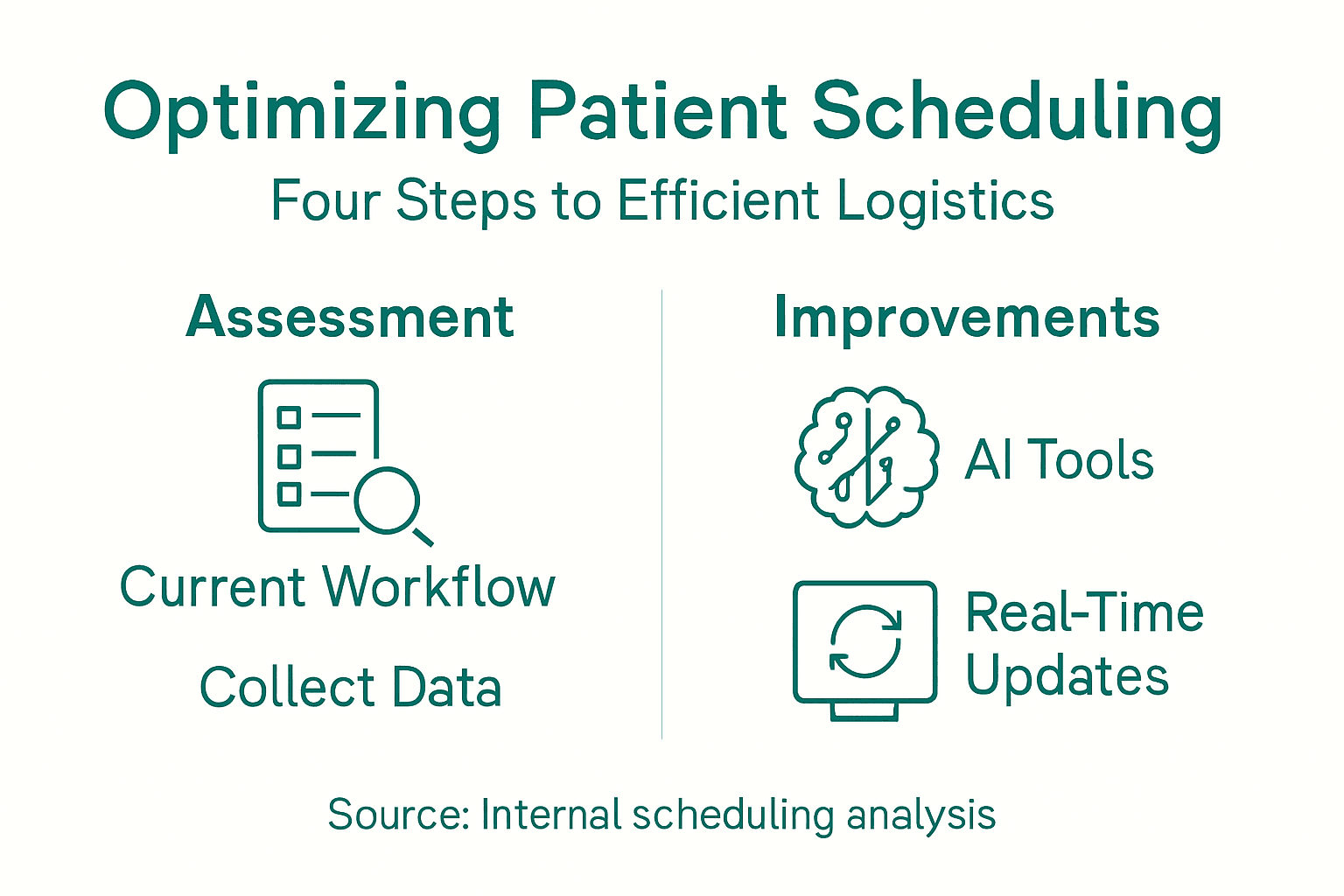
Create a simple visual summary of your findings. This might be a flowchart showing the scheduling process, a list of top pain points, or a dashboard showing key metrics. This summary becomes your baseline—your proof of current reality before optimization begins.
Pro tip: Start your assessment by interviewing both your scheduling staff and case managers about daily frustrations; they’ve already identified your biggest problems, and you’ll save weeks of analysis.
Step 2: Implement AI-driven scheduling solutions
Now that you understand your current workflows, you’re ready to deploy artificial intelligence to automate and optimize scheduling decisions. AI-driven systems analyze patterns in your data that humans miss, predict patient no-shows, and allocate resources more effectively than manual scheduling ever could.
Start by selecting scheduling software that includes AI capabilities. Look for platforms with machine learning algorithms that learn from your historical scheduling data and continuously improve. The best solutions integrate with your existing electronic health record systems so data flows automatically without manual entry.
Key features to prioritize when evaluating AI scheduling tools:
- Predictive analytics for no-shows and cancellations
- Automatic appointment clustering that groups similar patient types
- Real-time optimization that adjusts schedules as conditions change
- Integration with your EHR system for seamless data access
- Priority classification that identifies high-need patients automatically
- Staff workload balancing to prevent burnout
- Reporting dashboards showing scheduling metrics and performance
Implement the AI solution in phases rather than all at once. Start with a pilot in one department or service line where you have the most scheduling pain. Machine learning optimization algorithms have demonstrated measurable improvements in staff coverage and patient wait times when deployed across multiple facilities.
Configure the system to your specific needs. Define which appointment types exist, how long each should take, which providers can offer which services, and what constraints matter most (patient distance, provider expertise, equipment availability). Feed historical scheduling data into the AI so it learns your patterns.
Train your scheduling staff on the new system. They’re not being replaced; they’re being empowered. Staff focus shifts from manually creating schedules to monitoring AI recommendations, handling exceptions, and improving the system through feedback. This actually increases job satisfaction because it eliminates tedious administrative work.
AI scheduling works best when humans supervise the algorithm. Your staff should review recommendations, override when necessary, and continuously feed feedback to improve the system’s decisions.
Monitor performance closely during the first month. Compare your baseline metrics from Step 1 against new results: appointment wait times, no-show rates, staff utilization, patient satisfaction. Most hospitals see improvements within weeks because AI removes scheduling inefficiencies immediately.

Here is a comparison of traditional vs. AI-driven scheduling approaches:
| Aspect | Traditional Scheduling | AI-Driven Scheduling |
|---|---|---|
| Efficiency | Manual, labor-intensive | Automated, continuous optimization |
| Error Rate | Prone to human mistakes | Reduced errors via automation |
| Responsiveness | Slow to adapt to changes | Real-time schedule adjustments |
| Data Utilization | Limited, mostly historical | Predictive, uses live data |
| Staff Workload | High administrative burden | Focus on oversight, not data entry |
Pro tip: Start with “suggest mode” where the AI recommends schedules but staff approves them; after 2-3 weeks of proving accuracy, switch to “auto-schedule mode” where approved appointments populate automatically, freeing staff for more strategic work.
Step 3: Integrate real-time communication tools
Optimized schedules mean nothing if your team can’t communicate changes instantly. Real-time communication bridges the gap between your AI system and the people who execute the schedule every day. When a patient cancels, a provider runs late, or an emergency admission needs to be squeezed in, your team needs immediate visibility and coordination.
Choose communication platforms built specifically for healthcare workflows. Generic tools like email or text messaging create information silos and compliance risks. Healthcare-grade platforms should support secure messaging, status updates, and instant notifications without exposing protected health information on personal devices.
Priorities for selecting real-time communication tools:
- HIPAA-compliant messaging that encrypts all communications
- Mobile-first design so staff can receive alerts anywhere
- Integration with your scheduling system for automatic updates
- Status dashboards showing current schedule deviations
- Alert prioritization so urgent changes get immediate attention
- Audit trails documenting all communications for compliance
- Two-way confirmation so you know staff received critical updates
Set up notification workflows so the right people get the right information at the right time. When a transport request arrives, notify available drivers instantly. When a provider runs 15 minutes behind, alert the next patient automatically. Real-time communication and coordination strategies enable timely decisions that keep patient flow moving smoothly across your system.
Configure escalation protocols for common scenarios. If a scheduled appointment is cancelled, automatically notify the next patient on the waitlist. If a transport vehicle breaks down, immediately alert dispatch to reassign that patient. These automated workflows eliminate delays that occur when information travels through multiple people.
Train staff on the new communication system and establish usage norms. Clarify which updates require immediate response versus which can wait. Define what constitutes an urgent change (emergency admission, major schedule conflict) versus routine updates (minor time shifts). This prevents alert fatigue while ensuring critical information gets attention.
Effective real-time communication doesn’t mean constant notifications. It means the right person gets the right alert at the right moment, enabling them to act decisively without information overload.
Monitor communication effectiveness by tracking response times and schedule adherence. Are staff responding to alerts quickly? Are critical changes being implemented before they impact patients? Use this data to refine your workflows and notification rules.
Pro tip: Start with 3-5 key escalation scenarios (cancellation, provider delay, transport issue, emergency admission, equipment failure) and automate only those; add more workflows once staff masters the core communication patterns.
Step 4: Validate improvements with performance metrics
Implementing new scheduling systems only matters if they actually improve outcomes. Measuring performance tells you whether your investments in optimization are working and where you need further adjustments. Without data, you’re just guessing whether real improvements happened.
Start by comparing your current metrics against the baseline you established in Step 1. Pull your data from the same sources you used before to ensure consistency and fairness. You need apples-to-apples comparison to prove impact credibly.
Core metrics to track for scheduling optimization:
Below is a quick-reference table for core scheduling performance metrics and what they reveal:
| Metric | Purpose | Indicates |
|---|---|---|
| Appointment Access Time | Track time to get an appointment | System capacity, patient flow |
| No-Show Rate | Measure missed appointments | Patient engagement, schedule gaps |
| Staff Scheduling Efficiency | Monitor shift coverage | Resource allocation effectiveness |
| Patient Wait Time | Assess in-office wait duration | Workflow bottlenecks |
| Throughput | Appointments per provider per day | Productivity, operational speed |
- Appointment access time (days from request to scheduled visit)
- No-show and cancellation rates (percentage of scheduled appointments not kept)
- Patient wait times (minutes from arrival to provider or service)
- Staff scheduling efficiency (percentage of shifts fully booked)
- Patient satisfaction scores (via surveys or feedback tools)
- Throughput metrics (appointments completed per day per provider)
- Readmission rates (indicating whether timely scheduling improves outcomes)
Establish a measurement schedule. Track metrics weekly for the first month to catch problems early, then shift to monthly reviews once you’re confident the system is stable. Hospital-wide flow measures provide objective assessment of how scheduling changes impact overall patient logistics performance across your system.
Visualize your data in dashboards that your team actually uses. Create charts showing trends over time, comparisons by department, and performance against targets. Make sure these dashboards are accessible to your scheduling staff so they see the impact of their work.
Identify which improvements are real and which might be temporary. A one-week spike in efficiency could be coincidence. Look for sustained improvements over at least 4-6 weeks before declaring victory. Also investigate why certain metrics improved while others didn’t, as this reveals what’s actually working.
You can’t manage what you don’t measure. Regular performance reviews transform scheduling from a reactive daily grind into a strategic operational lever that directly influences patient care quality.
Communicate results transparently to leadership and staff. Show the before-and-after numbers with clear visuals. Celebrate wins to build momentum, but also acknowledge gaps honestly. This honesty builds trust and shows you’re committed to continuous improvement, not just one-time implementation.
Use performance data to refine your system. If no-shows are still high, dig deeper into why. If certain providers consistently run behind, investigate whether they need different appointment types or scheduling patterns. Let metrics guide your next optimization cycle.
Pro tip: Calculate your financial impact in actual dollars saved—cost per minute of staff time multiplied by efficiency gains, or reduced overtime hours multiplied by hourly rates; leadership understands and supports what they can quantify in business terms.
Transform Your Patient Scheduling Challenges into Seamless Efficiency
Optimizing patient scheduling is critical to overcoming inefficiencies like high no-show rates, long patient wait times, and overwhelming staff workloads. The article highlights the impact of AI-driven scheduling, real-time communication, and continuous performance measurement as key strategies for creating smooth patient logistics. If your organization faces these challenges or wants to evolve from manual, error-prone scheduling methods, VectorCare offers a comprehensive digital platform tailored to these needs.
Experience how VectorCare’s integrated tools empower your team with AI-driven dispatching, automated scheduling optimization, and secure real-time updates that reduce administrative burdens while boosting patient satisfaction. Visit VectorCare today to discover solutions designed for healthcare providers, payers, and emergency services seeking measurable improvements in operational efficiency. Start streamlining your patient logistics now and unlock savings along with better care coordination.
Frequently Asked Questions
How can I assess my current scheduling workflows?
To assess your current scheduling workflows, document each step a patient takes from initial contact to service delivery. Map out who is involved, what tools they use, and how long each step takes to identify inefficiencies and bottlenecks.
What are the key metrics to track for optimizing patient scheduling?
Key metrics to track include appointment access time, no-show rates, staff scheduling efficiency, patient wait times, and throughput. Regularly analyze these metrics to gain insights into your scheduling performance and identify areas for improvement.
How do I implement AI-driven scheduling solutions effectively?
To implement AI-driven scheduling solutions, start with a pilot program in one department and configure the system to fit your needs. Train your staff to oversee the AI recommendations and continuously provide feedback to refine the system’s accuracy.
What features should I look for in a real-time communication tool?
When selecting a real-time communication tool, prioritize HIPAA-compliant messaging, mobile access, and integration with your scheduling system. Ensure the platform has status dashboards for immediate updates and two-way confirmations for critical notifications.
How do I validate the improvements in scheduling performance?
To validate improvements, compare your current performance metrics against the baseline established during your initial assessment. Track these metrics consistently for several weeks to confirm sustained improvements in scheduling efficiency and patient logistics.