Home health scheduling tips: Boost efficiency by 10%

Home health agencies face a persistent challenge: balancing caregiver availability, patient needs, and operational costs while maintaining quality care. Yet agencies achieve 10% productivity gains by optimizing their scheduling processes, proving that small adjustments to how you assign visits can yield measurable returns in both patient outcomes and bottom-line efficiency. This guide shares evidence-based strategies and actionable steps to help you transform your agency’s scheduling approach, reduce wasted travel time, and improve staff satisfaction.
Table of Contents
- The impact of effective scheduling in home health
- Route optimization and geographic clustering: The efficiency game-changer
- Start-of-care timeliness: Why every day matters
- Enhancing communication: Keep everyone in the loop
- Making it patient-centered: Honoring preferences and family input
- Leveraging tech and expertise: Finding the right balance
- Streamline your agency’s scheduling: Solutions to get started
- Frequently asked questions
Key Takeaways
| Point | Details |
|---|---|
| Optimize routes | Implementing geographic clustering and route optimization can reduce travel times and make schedules more efficient. |
| Prioritize timeliness | Starting care promptly—ideally within two days—improves clinical outcomes and compliance. |
| Innovate communication | Multi-channel and real-time updates are essential for smooth, reliable scheduling and fewer missed visits. |
| Honor preferences | Integrating patient and family preferences into schedules enhances satisfaction and loyalty. |
| Balance tech with insight | Leverage automation and data analytics, but always pair with scheduler expertise for best results. |
The impact of effective scheduling in home health
Scheduling sits at the heart of home health operations, directly influencing patient outcomes, staff retention, and financial performance. When schedules fail, the consequences ripple across your entire organization: missed visits delay care starts, patients experience gaps in service, and caregivers burn out from inefficient routes and last-minute changes.
The link between timely start of care and patient outcomes is well documented. Empirical benchmarks show a 10% productivity increase with optimized scheduling, including reduced drive time and improved census. Agencies that master scheduling logistics see fewer readmissions, higher patient satisfaction scores, and better staff morale.
| Metric | Poor Scheduling | Optimized Scheduling |
|---|---|---|
| Productivity gain | Baseline | +10% |
| Average drive time | 45-60 min/visit | 25-35 min/visit |
| Days to care start | 3-4 days | 1-2 days |
| Staff turnover | 25-30% annually | 15-20% annually |
The financial stakes are equally significant. Every hour your caregivers spend driving between poorly clustered visits represents lost billable time and increased fuel costs. When you factor in overtime from schedule overruns and the expense of recruiting replacement staff, inefficient scheduling becomes a major profit drain.
“Scheduling optimization isn’t just about filling slots on a calendar. It’s about creating sustainable workflows that respect caregiver time, honor patient preferences, and maximize the value of every visit.”
Modern home health scheduling apps address these challenges by automating routine tasks while preserving the clinical judgment that only experienced schedulers can provide. The key is finding the right balance between technology and human expertise, a theme we’ll explore throughout this guide. For a broader view of available tools, review various scheduling software options to identify features that match your agency’s specific needs.
Route optimization and geographic clustering: The efficiency game-changer
Route optimization transforms how caregivers move through their day, reducing unnecessary miles and creating predictable schedules that improve work-life balance. Geographic clustering groups patients by location, allowing you to assign multiple visits in the same neighborhood to a single caregiver.
Consider a typical scenario: Your scheduler assigns visits based solely on caregiver availability, resulting in a nurse driving 15 miles north for a morning wound care visit, then 20 miles south for a medication management appointment, then back north for an afternoon physical therapy session. This pattern wastes fuel, creates fatigue, and limits the number of patients each caregiver can see daily.
Implementing geographic clustering using data-driven tools reduces travel time and increases productivity by 10%. The same nurse, with optimized routing, completes all three visits within a five-mile radius, finishing her day an hour earlier and with energy to spare.

| Approach | Daily Miles | Visits Completed | Staff Satisfaction |
|---|---|---|---|
| Traditional scheduling | 85-100 miles | 5-6 visits | Low to moderate |
| Geographic clustering | 40-55 miles | 7-8 visits | Moderate to high |
| Full route optimization | 35-45 miles | 8-9 visits | High |
The technology required for effective route optimization includes GPS integration, mapping software with real-time traffic data, and scheduling platforms that can automatically suggest optimal visit sequences. Effective use of GPS and real-time data leads to better schedules and cost savings.
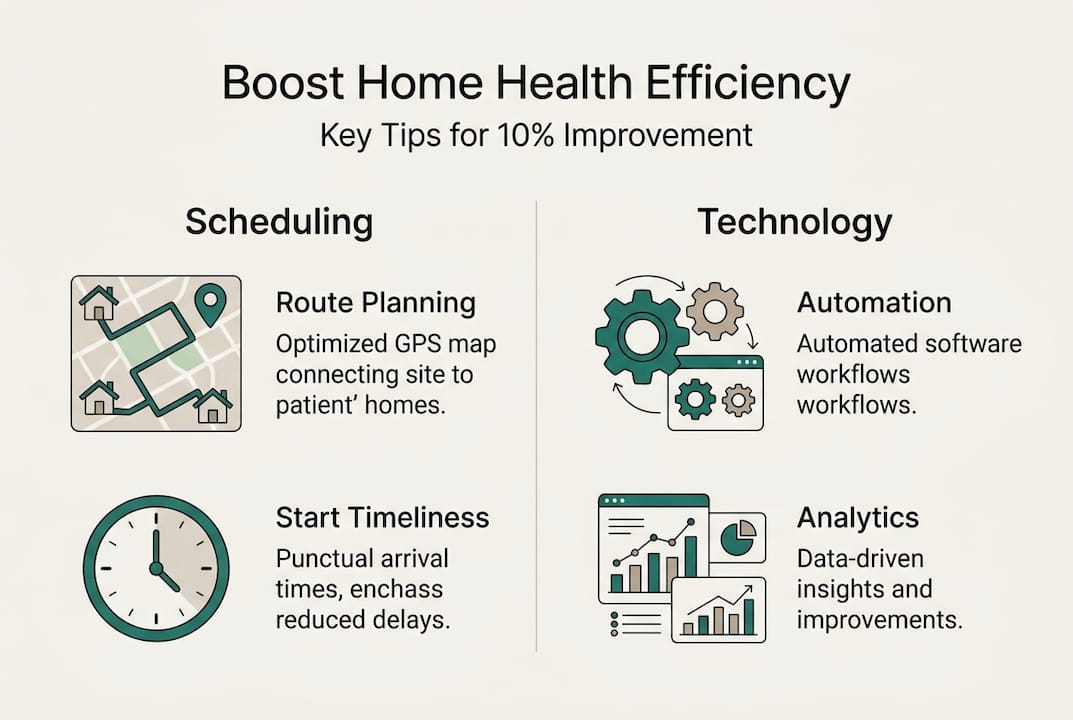
Pro Tip: Integrate your mapping tools directly with your scheduling software to enable automatic route suggestions. This eliminates the manual step of checking distances and allows schedulers to focus on clinical appropriateness rather than logistics.
The principles that make round-trip ride scheduling efficient apply equally to home health visits. When evaluating best healthcare scheduling tools, prioritize platforms that offer native mapping integration rather than requiring manual data entry. Review online scheduling essentials to understand which features deliver the greatest return on investment.
Start-of-care timeliness: Why every day matters
The speed at which you initiate home health services after a hospital discharge or referral directly impacts patient outcomes and your agency’s compliance standing. CMS recommends start or resumption of care within 2 days of referral or discharge, with U.S. median at 1-2 days and averages from 2.2-3.2 days.
Delayed care starts increase readmission risk, particularly for patients with complex chronic conditions who need immediate medication management or wound care. From a business perspective, every day of delay represents lost revenue and potential penalties under value-based payment models that reward timely care initiation.
Best practices for ensuring prompt visits include:
- Streamline intake processes to capture all necessary information during the initial referral call, eliminating back-and-forth delays.
- Pre-assign caregivers to anticipated discharge patients based on geographic zones and skill requirements.
- Implement real-time assignment technology that alerts available caregivers to new patients immediately upon referral acceptance.
- Track performance metrics daily, identifying bottlenecks in your intake-to-visit workflow.
- Maintain flexible capacity by cross-training staff to handle various visit types, reducing scheduling constraints.
Timeliness Benchmark: Best-in-class agencies consistently achieve care initiation within 24 hours of referral, positioning themselves as preferred partners for hospital discharge planners.
Pro Tip: Work with hospital case managers to predict discharges 48-72 hours in advance. Pre-plan schedules for these anticipated patients, allowing you to assign visits the moment discharge orders are finalized.
VectorCare Hub for dispatching demonstrates how real-time assignment technology reduces the lag between referral and first visit. For agencies evaluating options, this scheduling software guide explains the technical requirements for achieving rapid care starts.
Enhancing communication: Keep everyone in the loop
Real-time communication between schedulers, caregivers, and patients prevents the missed visits and last-minute cancellations that disrupt your carefully optimized schedules. Multi-channel communication via apps, texts, and portals supports real-time notifications and feedback among schedulers, caregivers, and clients.
Effective communication systems include:
- Automated visit confirmations sent to patients 24 hours before scheduled appointments, reducing no-shows
- Mobile apps that allow caregivers to update visit status, report delays, and communicate directly with schedulers
- Text alerts for schedule changes, ensuring caregivers receive updates even when away from computers
- Patient portals where families can view upcoming visits, request changes, and provide feedback
- Two-way messaging that enables quick resolution of questions without phone tag
The workflow for effective communication starts with schedule publication. When you finalize tomorrow’s schedule, your system should automatically send confirmations to all stakeholders. Caregivers receive their assignment list with patient addresses, care plans, and any special instructions. Patients get visit time windows and caregiver names. Schedulers monitor a dashboard showing confirmation status.
“Communication failures account for more missed visits than any other single factor. When patients don’t know who’s coming or caregivers lack clear instructions, even perfect route optimization can’t save the day.”
These online scheduling tips emphasize the importance of multi-channel communication in reducing administrative burden. A comprehensive patient logistics platform integrates messaging, scheduling, and documentation to create a seamless information flow. For broader context on how digital communication improves care coordination, explore telemedicine communication benefits that parallel home health applications.
Making it patient-centered: Honoring preferences and family input
Patient-centered scheduling goes beyond logistics to incorporate individual preferences that improve satisfaction and care compliance. Client-centered scheduling honors patient preferences, involves families, and calls for regular reviews.
Common patient preferences that impact scheduling include:
- Gender-matched caregivers for personal care visits, particularly important for cultural or religious reasons
- Language concordance between caregiver and patient to ensure clear communication about care instructions
- Preferred visit times that accommodate work schedules, family availability, or personal routines
- Consistent caregiver assignment to build trust and continuity, especially for patients with cognitive impairment
- Family presence during certain visits to facilitate education and care coordination
Building these preferences into your scheduling process starts at intake. Your initial assessment should capture not just clinical needs but also personal preferences, documenting them in a format your scheduling system can reference. Regular quarterly reviews ensure preferences remain current as patient situations evolve.
Practical implementation steps include creating intake forms with dedicated preference fields, setting up automated reminders for preference reviews, and establishing feedback loops where patients and families can easily request adjustments. When conflicts arise between preferences and operational efficiency, involve patients in the decision-making process rather than making unilateral changes.
The patient care scheduling features available in modern platforms allow you to flag and honor these preferences automatically, reducing the manual effort required to maintain patient-centered schedules.
Leveraging tech and expertise: Finding the right balance
Technology amplifies human expertise but cannot replace the clinical judgment and relationship skills that experienced schedulers bring to their work. Continuous scheduler training, utilization of data analytics, and nightly automation lead to higher satisfaction and more efficient planning.
The most effective scheduling operations combine automated optimization with human oversight. Your system can suggest optimal routes and identify scheduling conflicts, but expert schedulers remain irreplaceable for their clinical insight and flexible decision-making despite technological advances.
Implementation steps for balanced tech adoption:
- Review utilization data weekly to identify patterns in caregiver productivity, patient clustering, and schedule efficiency.
- Analyze satisfaction scores from both patients and staff, correlating them with specific scheduling practices.
- Plan 7-15 days ahead using predictive analytics that forecast patient needs based on historical patterns.
- Use nightly automation to generate preliminary schedules, then have experienced schedulers review and adjust before publication.
- Invest in ongoing training that keeps schedulers current on both software capabilities and industry best practices.
Data analytics reveal insights that human observation might miss, such as subtle patterns in no-show rates by time of day or caregiver preferences that impact retention. Technology handles the computational heavy lifting, freeing schedulers to focus on relationship management and complex problem-solving.
Pro Tip: Never publish automated schedules without human review. Technology can’t account for nuanced factors like a patient’s anxiety about new caregivers or a staff member’s personal situation that might affect performance. Build in a review step where schedulers can apply clinical judgment before finalizing assignments.
For agencies ready to modernize their approach, this guide to software for home health scheduling explains the technical requirements and implementation considerations for successful technology adoption.
Streamline your agency’s scheduling: Solutions to get started
Putting these strategies into action requires more than good intentions. You need scheduling platforms purpose-built for home health operations, with features that support route optimization, preference management, and real-time communication out of the box.
Modern scheduling solutions integrate mapping, messaging, and analytics into unified workflows that reduce administrative burden while improving care coordination. Look for platforms offering automated route suggestions based on real-time traffic, mobile apps that keep caregivers connected, and preference management tools that honor patient choices without manual intervention.
VectorCare’s home health provider solution demonstrates how specialized platforms address the unique challenges of home health scheduling. By maximizing efficiencies through better patient logistics, agencies reduce costs while improving both patient and staff satisfaction. The VectorCare platform combines automation with the flexibility experienced schedulers need to apply clinical judgment, creating a balanced approach that delivers measurable results.
Frequently asked questions
What is the fastest way to improve home health scheduling efficiency?
Adopting route optimization reduces travel time and boosts productivity, often delivering measurable improvements within the first month of implementation.
How soon should care start after a hospital discharge?
Agencies should aim for start of care within 2 days of discharge or referral, aligning with CMS benchmarks and median U.S. performance of 1-2 days.
How can agencies honor patient and family preferences in scheduling?
Build preference options into intake forms, review on a regular schedule, and involve families through communication channels that make feedback easy.
What role does automation play in home health scheduling?
Automation streamlines routine tasks, but should be paired with expert clinical insight and regular human review for optimal scheduling outcomes.
Which technology features are most valuable for home health schedulers?
Integrated mapping, real-time messaging, and mobile access are top features that boost scheduler efficiency and improve care coordination.
Recommended
- Optimize Patient Care with a Home Health Scheduling App
- 7 Essential Tips for Online Scheduling in Healthcare
- 7 Best Healthcare Scheduling Software for Smooth Operations
- Scheduling NEMT Rides in a SNF: How to Streamline Patient Transportation | VectorCare
- Online Doctor Visits for Parents with Full Schedules | Chameleon