Medical billing scheduling software improves efficiency

Healthcare administrators lose over 30% of potential revenue to billing errors and scheduling delays each year. Medical billing scheduling software addresses this by integrating patient scheduling with claims processing in a single platform. You’ll discover how unified systems reduce administrative workload, cut claim denials, and enhance patient care coordination while exploring selection criteria, implementation best practices, and real-world benefits that transform healthcare operations.
Table of Contents
- Introduction To Medical Billing Scheduling Software
- Key Features And Selection Criteria For Medical Billing Scheduling Software
- Benefits Of Integration In Medical Billing Scheduling Software
- Enhancing Patient Logistics With Scheduling Software
- Common Misconceptions About Medical Billing Scheduling Software
- Comparison Of Integrated Versus Standalone Solutions
- Operational Efficiency And Cost Savings
- Implementation Best Practices And Next Steps
- Explore Advanced Patient Logistics And Billing Solutions
- Frequently Asked Questions About Medical Billing Scheduling Software
Key takeaways
| Point | Details |
|---|---|
| Integrated software streamlines workflows | Unified scheduling and billing eliminates duplicate data entry and synchronization errors between systems. |
| Automation reduces administrative burden | AI-driven dispatching and automated billing processes cut manual tasks by over 25% on average. |
| Patient logistics improve care quality | Real-time updates and optimized scheduling enhance adherence rates and coordination across providers. |
| Selection requires EHR integration focus | Successful implementation depends on seamless connectivity with existing electronic health records and compliance systems. |
| Unified solutions outperform standalone tools | Integrated platforms deliver 10-15% cost savings and significantly lower claim denial rates compared to separate systems. |
Introduction to medical billing scheduling software
Medical billing scheduling software combines appointment management with claims processing in one platform. Unlike standalone scheduling tools that only manage calendars or separate billing systems that handle claims in isolation, integrated solutions synchronize every step from patient booking through final payment posting.
U.S. healthcare administrators face mounting challenges. Manual reconciliation between scheduling and billing systems creates data entry errors. Claim denials from missing or incorrect patient information delay revenue cycles. Staff spend hours verifying appointment details match billing records. Administrative teams struggle with fragmented workflows across multiple platforms.
Integrated software addresses these pain points by connecting scheduling data directly to billing functions. When a patient books an appointment, the system automatically populates billing records with verified insurance information, appointment codes, and provider details. This understanding scheduling software for healthcare synchronization eliminates manual transfer errors that typically cause claim rejections.
The platform maintains a single source of truth. Updates in one area automatically reflect across all functions. If a patient reschedules, the billing system immediately adjusts without staff intervention. This coordination extends beyond your facility, connecting with appointment scheduling business platform principles that optimize multi-location workflows.
Key differentiators include:
- Real-time data synchronization between patient scheduling and billing departments
- Automated verification of insurance eligibility at time of booking
- Unified patient records accessible across all administrative functions
- Integrated reporting that tracks both scheduling efficiency and revenue cycle metrics
This unified approach transforms fragmented processes into streamlined workflows that reduce errors while accelerating revenue collection.
Key features and selection criteria for medical billing scheduling software
Choosing the right software requires evaluating specific capabilities that directly impact your operational efficiency. Start with EHR integration, the foundation of effective medical billing scheduling software. Systems must connect seamlessly with your existing electronic health records to ensure patient data flows automatically between clinical and administrative functions.
Automation features separate basic tools from advanced platforms. AI-driven dispatching optimizes patient transport scheduling based on real-time factors like traffic, vehicle availability, and appointment urgency. Automated billing synchronization updates claim information instantly when appointments change, eliminating the manual updates that cause processing delays.
Vendor management capabilities enable coordinated communication across transportation providers, home health agencies, and equipment suppliers. The best healthcare scheduling software includes centralized messaging, status tracking, and performance analytics for all external partners involved in patient care.
Compliance and security aren’t optional. HIPAA compliance must be built into every function, from encrypted data transmission to secure user authentication and comprehensive audit trails. Look for platforms with regular security audits, business associate agreements, and proven track records protecting patient information.
User interface quality determines adoption success. Complex systems create training burdens and resistance from staff. Evaluate platforms offering:
- Intuitive navigation requiring minimal clicks to complete common tasks
- Customizable workflows matching your specific operational processes
- Mobile accessibility for staff managing schedules remotely
- No-code configuration options that let administrators adjust settings without IT support
Pro Tip: Request demo access with your actual patient data scenarios. Test how the system handles your most complex scheduling situations like multi-provider coordination or emergency rescheduling to verify it meets your workflow needs before committing.
Benefits of integration in medical billing scheduling software
Integrated platforms deliver measurable improvements across revenue cycle and administrative operations. Claim denial reductions reach 25% when scheduling and billing data synchronize automatically, eliminating the information mismatches that cause rejections.

Administrative time savings compound quickly. Staff no longer manually transfer appointment details to billing systems or verify that scheduled services match submitted claims. Organizations typically recover over 25% of administrative hours previously spent on data reconciliation tasks. These hours redirect to patient engagement and care coordination activities that improve satisfaction scores.
Revenue cycle processing accelerates dramatically with integration. Claims submit faster because billing information populates automatically from verified scheduling data. Payment posting happens in real-time as the system tracks appointment completion. Days in accounts receivable decrease by an average of 15-20 days, improving cash flow without adding collection staff.
Operational cost savings emerge from multiple sources. Reduced claim denials mean fewer appeals and resubmissions. Faster revenue collection lowers borrowing needs. Streamlined workflows require less administrative staffing. The technology enhancing patient appointment logistics demonstrates how these efficiencies compound over time.
Key financial benefits include:
- Lower claim rejection rates reducing reprocessing costs
- Decreased administrative labor expenses through workflow automation
- Improved cash flow from accelerated payment cycles
- Reduced overtime costs from elimination of manual reconciliation tasks
Integration Impact: Organizations implementing unified scheduling and billing platforms report average cost savings of 10-15% within the first year, with continued improvements as staff optimize workflows and automation features.
Enhancing patient logistics with scheduling software
Advanced scheduling features transform patient movement and care coordination beyond basic appointment management. AI-driven dispatching analyzes multiple variables simultaneously, including patient location, appointment time, vehicle availability, driver schedules, and real-time traffic conditions. The system automatically assigns optimal transportation resources, reducing wait times while maximizing vehicle utilization.
Real-time status updates keep all stakeholders informed throughout the care journey. When a patient’s transport is delayed, the system automatically notifies the clinic, adjusts appointment times, and updates the patient via text or app notification. This understanding scheduling software for healthcare visibility prevents missed appointments and reduces facility idle time.
Patient adherence rates improve significantly with automated engagement. Systems send appointment reminders at strategic intervals, provide transportation arrival notifications, and offer easy rescheduling options through patient portals. Studies show adherence rates increase by 20-30% when patients receive consistent, timely communication about their care logistics.
Multi-stakeholder coordination becomes seamless with centralized platforms. Primary care providers, specialists, transportation vendors, home health agencies, and durable medical equipment suppliers all access synchronized schedules through role-appropriate interfaces. The optimize patient care home health scheduling app demonstrates how unified visibility prevents scheduling conflicts and ensures coordinated care delivery.
Key logistics enhancements include:
- Automated route optimization reducing patient transport times by up to 30%
- Cross-provider schedule visibility preventing appointment conflicts
- Patient self-service portals for booking, rescheduling, and transportation requests
- Predictive analytics identifying patients at risk of missing appointments
Pro Tip: Implement collaborative scheduling workflow guide practices that give patients control over their appointment preferences while maintaining operational efficiency through smart automation.
Common misconceptions about medical billing scheduling software
Many administrators believe separate scheduling and billing systems offer more flexibility than integrated platforms. This assumption ignores the hidden costs of maintaining data consistency across disconnected tools. Separate systems require manual reconciliation, creating opportunities for errors that integrated platforms eliminate entirely. Each manual transfer point introduces delays and potential mistakes that impact revenue cycle performance.
Some fear automation will replace human oversight in critical billing decisions. Modern software enhances staff capabilities rather than replacing judgment. Systems flag unusual patterns, suggest coding options, and automate routine tasks, but trained staff make final decisions on complex claims. Automation handles repetitive work, freeing staff for exception management and patient interaction.
Another misconception suggests only integrated solutions can connect scheduling with billing data. While APIs allow basic data sharing between separate systems, this connectivity differs fundamentally from true integration. Connected systems still require manual oversight to ensure synchronization. Truly integrated platforms maintain single data sources that update automatically across all functions without manual verification steps.
Compliance concerns sometimes rank as secondary considerations during software selection. This prioritization ignores the severe consequences of data breaches or HIPAA violations. Security and compliance must be primary selection criteria, not features to evaluate after choosing a platform based on functionality alone. The financial and reputational costs of compliance failures far exceed any savings from choosing less secure software.
Key clarifications:
- Integrated platforms reduce total cost of ownership compared to maintaining multiple separate systems
- Automation complements human expertise by handling routine tasks and flagging exceptions
- True integration differs from API connections in reliability and data consistency
- HIPAA compliance and security should drive selection decisions, not follow as afterthoughts
Comparison of integrated versus standalone solutions
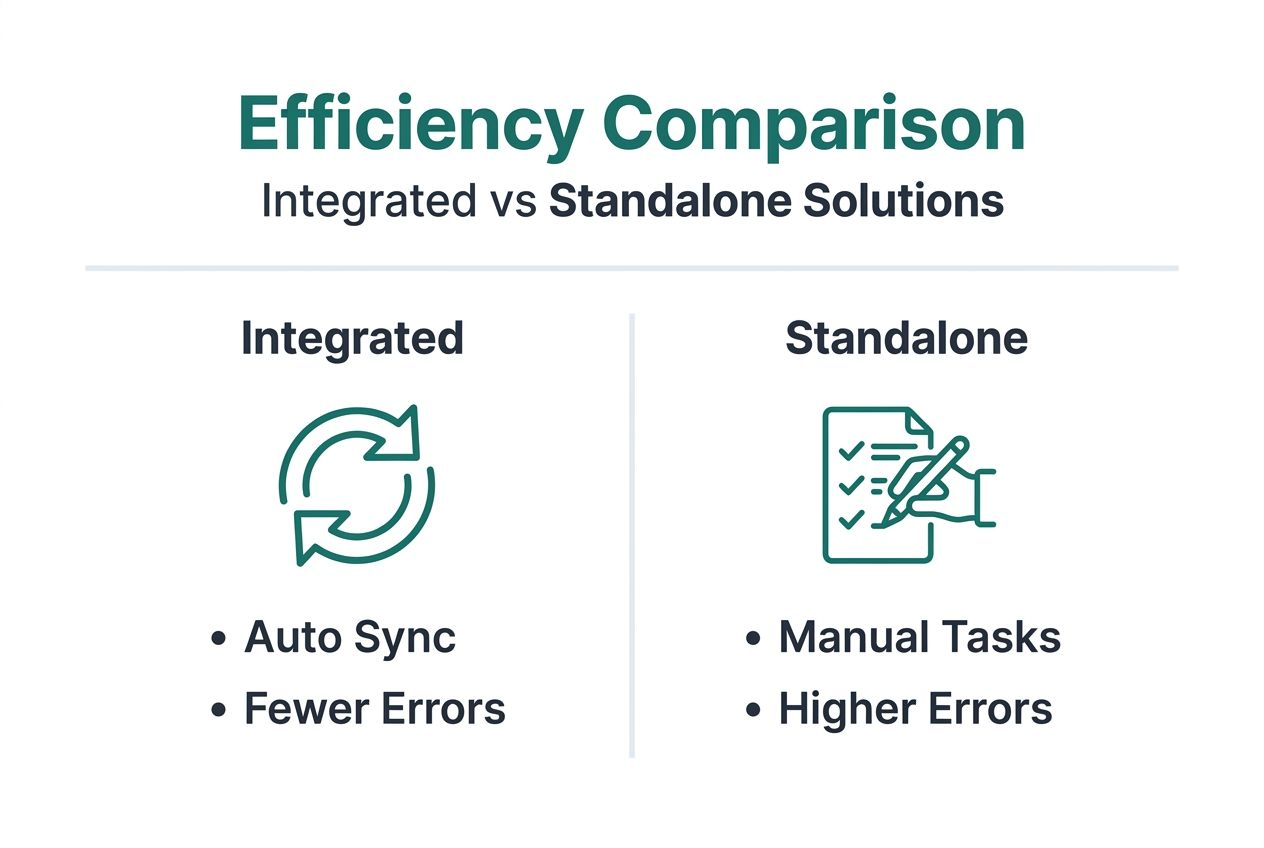
Direct comparison reveals significant operational differences between unified platforms and separate scheduling and billing tools.
| Feature | Integrated Solution | Standalone Systems |
|---|---|---|
| Data Entry | Single entry point for patient, appointment, and billing information | Duplicate entry required across scheduling and billing platforms |
| Workflow Efficiency | Automated synchronization between scheduling and billing functions | Manual transfer and verification processes between systems |
| Error Rates | 25% lower claim denials from synchronized, verified data | Higher rejection rates from data transfer errors and information mismatches |
| Administrative Time | 25-30% reduction in manual reconciliation and data verification tasks | Significant staff time spent verifying consistency across platforms |
| Implementation Cost | Higher upfront investment in comprehensive platform | Lower initial cost for separate point solutions |
| Ongoing Maintenance | Single vendor relationship and unified support structure | Multiple vendor coordination and integration maintenance |
| Long-term ROI | 10-15% average cost savings within first year through efficiency gains | Ongoing costs for manual processes and error correction |
| Revenue Cycle Speed | Faster claim submission and payment posting from real-time synchronization | Delays from batch processing and manual data transfers |
The workflow efficiency difference becomes obvious in daily operations. With integrated software, appointment changes automatically update billing records, insurance verifications happen at scheduling time, and claim submission begins immediately after service delivery. Standalone systems require staff to manually update multiple platforms, verify data matches across systems, and coordinate timing between scheduling and billing departments.
Error rates diverge significantly. Integrated platforms eliminate transcription mistakes that occur when transferring information between systems. Single data sources prevent the version control issues that arise when scheduling and billing departments work from different patient information. These reductions translate directly to fewer claim denials and faster payment collection.
Administrative workload differences compound over time. Organizations using separate systems dedicate staff specifically to reconciliation tasks. Integrated platform users redirect those hours to patient engagement and care coordination. The efficiency gain multiplies across large patient volumes, making integrated solutions increasingly advantageous for growing practices.
Operational efficiency and cost savings
Quantifiable benefits demonstrate the financial impact of integrated medical billing scheduling software. Organizations implementing unified platforms achieve average cost savings of 10-15% within the first year. These savings come from multiple sources working together.
Administrative time recovery provides immediate value. Staff previously spending 8-10 hours weekly on manual reconciliation redirect that time to higher-value activities. Across a team of five administrative staff, this represents 40-50 hours weekly, equivalent to adding a full-time position without hiring costs.
Claim denial reductions deliver direct revenue impact. A practice processing 500 claims monthly with a 10% denial rate spends significant resources on appeals and resubmissions. Reducing denials to 7.5% through integration eliminates 12-13 denied claims monthly, saving appeal costs while accelerating payment collection.
Revenue cycle improvements show measurable acceleration. Days in accounts receivable typically decrease by 15-20 days as automated billing submission and real-time payment posting eliminate processing delays. For a practice with $2 million in annual revenue, reducing collection time by 18 days improves cash flow by approximately $100,000.
The esrd patient care logistics case study illustrates these benefits in practice. A regional dialysis provider implemented integrated scheduling and billing software across 15 facilities. Within six months, the organization reduced claim denials by 28%, decreased administrative staffing needs by two full-time positions, and improved patient adherence to treatment schedules by 22%. The combined savings exceeded $450,000 annually.
Key performance improvements:
- Administrative cost reduction averaging 10-15% in year one
- Claim processing time decreased by 30-40% through automation
- Patient no-show rates dropping 20-25% with automated engagement
- Revenue collection acceleration improving cash flow by 15-20 days
Implementation best practices and next steps
Successful deployment requires strategic planning and methodical execution. Start by documenting current workflow gaps and pain points. Map every step from patient contact through final payment posting. Identify where manual transfers occur, errors happen most frequently, and delays impact operations. This baseline assessment guides software selection and configuration.
Select platforms offering robust EHR and billing system integration. Verify the vendor has existing connectors for your specific systems. Request references from organizations using similar EHR platforms. Test data synchronization in demo environments using your actual workflows to confirm compatibility before committing.
Implement in phases rather than attempting full deployment simultaneously. Begin with a single department or patient type. Monitor performance metrics closely during the pilot phase. Gather staff feedback on usability and workflow fit. Make configuration adjustments before expanding to additional areas.
Staff training determines adoption success. Schedule comprehensive training sessions covering both basic functions and advanced features. Provide role-specific instruction matching actual job responsibilities. Create quick reference guides for common tasks. Designate super users in each department who can support colleagues during the transition period.
Monitor key performance indicators continuously after launch:
- Track claim denial rates weekly to verify integration is reducing errors
- Measure time spent on administrative tasks to quantify efficiency gains
- Monitor days in accounts receivable to confirm revenue cycle acceleration
- Survey staff regularly about system usability and workflow effectiveness
- Review patient satisfaction scores to ensure logistics improvements enhance experience
- Analyze scheduling efficiency metrics like appointment utilization and no-show rates
Maintain regular communication with your software vendor. Schedule monthly check-ins during the first quarter after launch. Share performance data and discuss optimization opportunities. Vendors often provide configuration recommendations based on usage patterns that further improve efficiency.
Pro Tip: Create a cross-functional implementation team including scheduling staff, billing specialists, IT personnel, and clinical representatives. This diverse perspective ensures the system configuration serves all stakeholder needs and prevents department-specific optimization that creates problems elsewhere.
Explore advanced patient logistics and billing solutions
Healthcare organizations seeking comprehensive patient logistics management benefit from specialized platforms addressing transportation, scheduling, and billing in unified workflows. These solutions coordinate patient movement from home to facility, manage multi-provider care teams, and ensure billing accuracy through automated data synchronization.
Advanced platforms improve patient satisfaction by reducing wait times, providing real-time transportation updates, and simplifying appointment management through self-service portals. Operational efficiency gains extend beyond billing accuracy to encompass resource optimization across vehicles, staff, and facilities.
Explore detailed guidance on coordinating non emergency transportation guide services that integrate with your scheduling and billing workflows. Learn how optimized logistics directly impact patient transport satisfaction scores while reducing operational costs. Discover strategies for managing non emergency hospital transport guide services that enhance care coordination across multiple facilities and provider networks.
Frequently asked questions about medical billing scheduling software
What makes medical billing scheduling software different from separate tools?
Integrated software maintains a single data source for both scheduling and billing functions, eliminating manual data transfers between systems. When appointment details change, billing records update automatically without staff intervention. Separate tools require duplicate data entry and manual verification to maintain consistency, creating opportunities for errors that integrated platforms prevent entirely.
How does integration specifically reduce billing errors and denials?
Integration verifies insurance eligibility at scheduling time and automatically populates claims with correct appointment codes, provider information, and patient details. This synchronization eliminates the transcription errors and information mismatches that occur when manually transferring data between scheduling and billing systems. Claims submit with complete, accurate information, reducing rejections by an average of 25%.
What are key considerations for HIPAA compliance with this software?
Verify the platform includes encrypted data transmission, secure user authentication with role-based access controls, and comprehensive audit trails tracking all system activity. Review vendor security certifications and request business associate agreements. Confirm the software supports automatic session timeouts, password complexity requirements, and regular security updates to protect patient information.
Can small clinics benefit from integrated software or is it only for larger organizations?
Small clinics often benefit more from integration because they lack dedicated staff for reconciliation tasks. Even with limited patient volumes, manual data transfer between systems consumes administrative time that small teams cannot spare. Cloud-based integrated platforms offer affordable subscription pricing scaled to clinic size, making enterprise-level functionality accessible without large upfront investments.
How long does typical implementation take and what supports successful adoption?
Implementation duration varies from 4-12 weeks depending on organization size and system complexity. Success factors include comprehensive staff training, phased rollout starting with one department, active super user support during transition, and regular performance monitoring. Organizations that document workflows before implementation and configure software to match existing processes typically achieve faster adoption and better outcomes.
Recommended
- Understanding Scheduling Software for Healthcare Providers
- 7 Best Healthcare Scheduling Software for Smooth Operations
- 7 Essential Tips for Online Scheduling in Healthcare
- Understanding Patient Scheduling Best Practices for Providers
- Xolapp - Business Management Platform
- Understanding Efficient Scheduling Methods for Better Planning - WhenNOT Blog