Automating Patient Scheduling for Faster Care Coordination

Long patient wait times and scattered communication across departments are frustrations every healthcare administrator recognizes. When scheduling bottlenecks persist, care coordination suffers and staff productivity dips. By focusing on a comprehensive workflow assessment, administrators can expose hidden inefficiencies and lay the foundation for effective scheduling automation that truly improves patient and staff experiences in U.S. hospitals.
Table of Contents
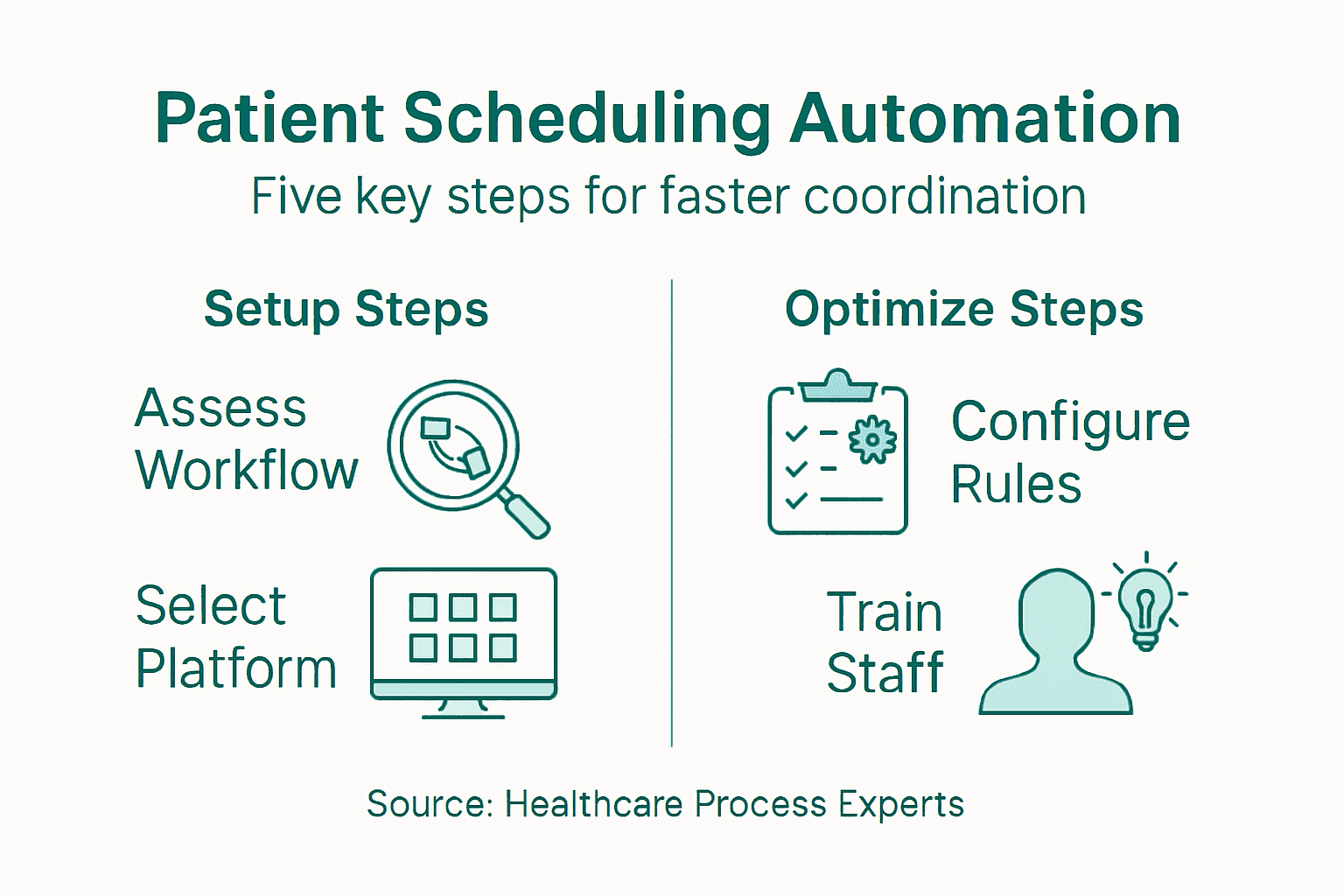
- Step 1: Assess Current Scheduling Workflows
- Step 2: Select An Automation Platform
- Step 3: Configure Scheduling Rules And Integrations
- Step 4: Train Staff On Automated Systems
- Step 5: Monitor Performance And Optimize Processes
Quick Summary
| Important Insight | Explanation |
|---|---|
| 1. Assess Existing Workflows | Mapping current scheduling processes uncovers inefficiencies and identifies improvement opportunities for automation. |
| 2. Choose the Right Automation Platform | Selecting a compatible platform enhances scheduling efficiency and reduces administrative burdens significantly. |
| 3. Configure Scheduling Parameters Carefully | Setting precise scheduling rules minimizes errors and improves resource allocation, ensuring efficient workforce management. |
| 4. Implement Comprehensive Staff Training | Training staff on new systems reduces resistance and enhances effectiveness in utilizing automated scheduling tools. |
| 5. Monitor Performance Regularly | Ongoing performance evaluation helps adapt processes and maintain scheduling system efficiency, ensuring continuous improvement. |
Step 1: Assess Current Scheduling Workflows
Successfully automating patient scheduling requires a comprehensive understanding of your existing workflows. By conducting a detailed assessment, you’ll identify inefficiencies and develop targeted strategies for improvement.
To evaluate your current scheduling processes, start by systematically mapping healthcare workflows. This involves documenting each step patients and staff experience when scheduling appointments, from initial contact to confirmation. Key areas to examine include:
- Patient intake mechanisms
- Communication channels between departments
- Current scheduling software capabilities
- Time required for scheduling tasks
- Number of manual touchpoints
- Average patient wait times
Create a comprehensive visual workflow diagram that tracks every interaction and transition point. This mapping will reveal bottlenecks, redundant processes, and opportunities for streamlining. Look specifically for:
- Repeated data entry steps
- Manual communication handoffs
- Inconsistent scheduling protocols
- Technology integration gaps
Effective workflow analysis uncovers hidden inefficiencies that dramatically impact patient care coordination.
Collect quantitative data by tracking metrics like scheduling time per appointment, number of scheduling staff, and patient scheduling satisfaction rates. These numbers will provide concrete evidence of where automation can deliver the most significant improvements.
Pro tip: Involve frontline staff in your workflow assessment to gain insider perspectives on real-world scheduling challenges.
Step 2: Select an Automation Platform
Choosing the right patient scheduling automation platform is critical for transforming your healthcare organization’s workflow efficiency. This step requires careful evaluation of solutions that can seamlessly integrate with your existing systems and meet your specific operational needs.
Start by identifying platforms with robust healthcare scheduling capabilities. Your ideal platform should offer comprehensive features that address multiple scheduling challenges:
- Compatibility with existing electronic health record (EHR) systems
- AI-driven predictive scheduling analytics
- Automated patient communication tools
- Compliance management features
- Real-time scheduling flexibility
- Reporting and performance tracking
When evaluating potential platforms, consider these critical selection criteria:
- Assess integration capabilities with current healthcare software
- Review platform’s scalability and customization options
- Examine user interface and ease of staff training
- Compare pricing and implementation support
- Check vendor’s healthcare-specific experience
The right automation platform can reduce administrative burden by up to 60% and significantly improve patient scheduling efficiency.
Demonstrate your commitment to thorough due diligence by requesting detailed demonstrations, checking customer references, and conducting pilot tests with potential vendors. Prioritize solutions that offer seamless EHR integration and intelligent scheduling algorithms.
Here’s how common scheduling challenges can be addressed with automation platforms:
| Scheduling Challenge | Automation Feature | Resulting Benefit |
|---|---|---|
| Manual data entry | EHR integration | Fewer errors, faster booking |
| Communication delays | Automated reminders and alerts | Reduced no-shows |
| Inconsistent schedules | Rule-based scheduling algorithms | Standardized appointment flow |
| Long staff training times | User-friendly interface | Quicker staff onboarding |
| Bottlenecks at peak hours | Predictive analytics | Improved resource allocation |
Pro tip: Request a comprehensive implementation roadmap and change management support from potential vendors to ensure smooth organizational adoption.
Step 3: Configure Scheduling Rules and Integrations
Configuring scheduling rules and system integrations is the critical foundation that transforms your automation platform from a basic tool to a powerful care coordination solution. This step requires careful, strategic mapping of your organization’s unique operational requirements and compliance standards.
Begin by establishing comprehensive scheduling parameters. Your configuration should address multiple dimensions of scheduling complexity:
- Staff credential verification
- Professional certification requirements
- Shift coverage constraints
- Patient volume forecasting
- Compliance tracking mechanisms
- Overtime and labor cost management
Implement detailed rule sets that govern critical scheduling dimensions:
- Define staff competency matrices
- Establish minimum staffing level requirements
- Configure automatic credential expiration alerts
- Create shift rotation algorithms
- Set fatigue management protocols
Precise scheduling rule configuration can reduce administrative errors by up to 75% and improve overall workforce efficiency.
Ensure seamless electronic health record (EHR) integration by working closely with your vendor to map data synchronization protocols. This requires establishing real-time communication channels between your scheduling platform and existing healthcare information systems.
Pro tip: Create a cross-functional team including IT, clinical staff, and administrative professionals to validate and refine scheduling rule configurations.
Step 4: Train Staff on Automated Systems
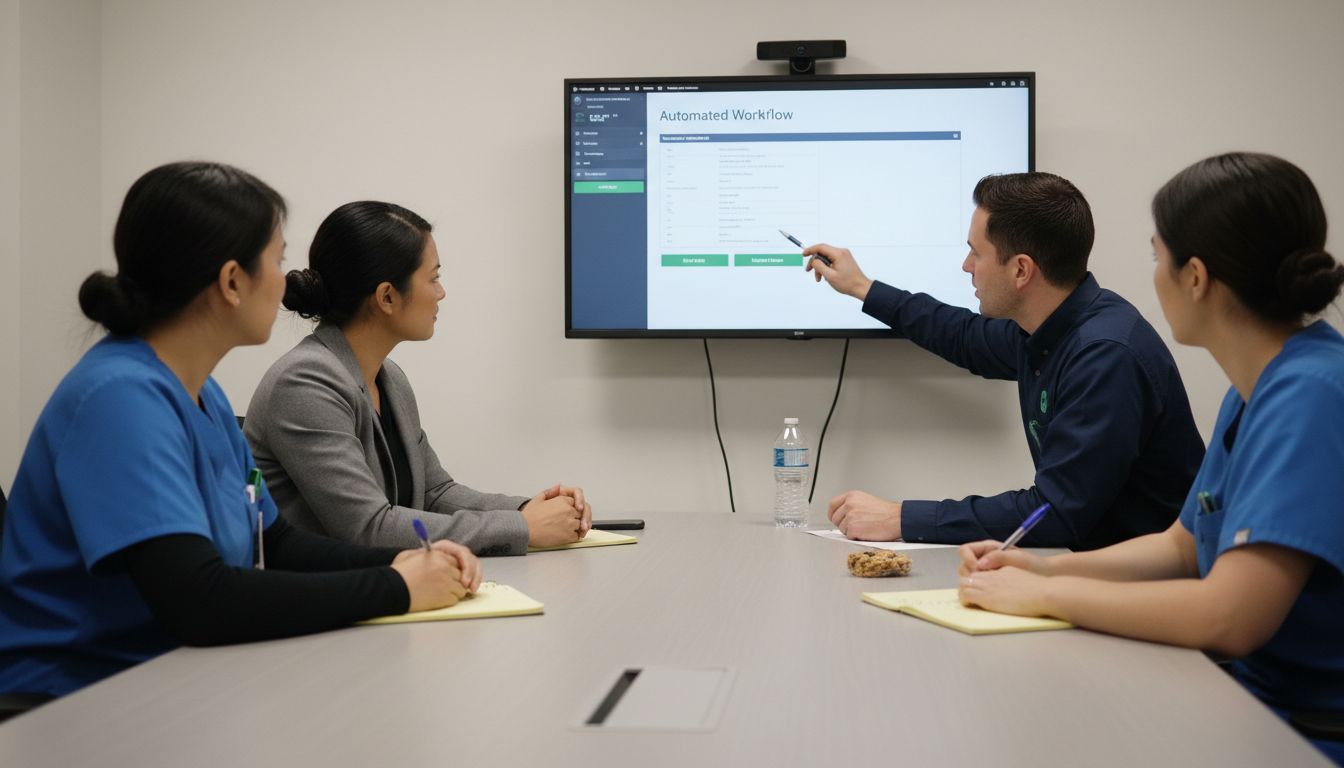
Successfully implementing patient scheduling automation requires more than just technological investment - it demands comprehensive staff training that transforms how your healthcare team approaches scheduling workflows. Preparing your staff to embrace and effectively utilize new automated systems is crucial for maximizing the platform’s potential.
Begin by developing strategic training programs that address the unique challenges and opportunities presented by automated scheduling technologies. Your training approach should encompass multiple learning dimensions:
- System interface navigation
- Workflow transformation understanding
- Troubleshooting fundamental system issues
- Recognizing automation benefits
- Adapting to new scheduling logic
- Managing exceptional scheduling scenarios
Design a comprehensive training curriculum that guides staff through critical learning stages:
- Introduce the automation platform’s core capabilities
- Demonstrate practical scheduling scenarios
- Provide hands-on system practice sessions
- Offer ongoing technical support resources
- Establish continuous learning checkpoints
Effective staff training can reduce system adoption resistance by up to 80% and accelerate operational efficiency.
Emphasize practical skill development and real-world application throughout your training process. Ensure staff understand not just how to use the system, but how automation directly improves their daily work experience and patient care outcomes.
Pro tip: Create peer learning groups that pair technologically experienced staff with those who need additional support to facilitate more organic, comfortable technology adoption.
Step 5: Monitor Performance and Optimize Processes
Automating patient scheduling is an ongoing journey of continuous improvement that requires systematic performance tracking and strategic refinement. Your goal is to transform initial automation efforts into a dynamic, responsive scheduling ecosystem that consistently delivers exceptional results.
Begin by implementing rigorous performance evaluation techniques that provide comprehensive insights into your scheduling system’s effectiveness. Your monitoring strategy should capture multiple performance dimensions:
- Scheduling accuracy rates
- Average patient wait times
- Staff scheduling efficiency
- System processing speed
- Error reduction metrics
- Patient satisfaction indicators
Establish a structured approach to performance optimization through these critical steps:
- Set clear performance benchmarks
- Collect granular operational data
- Analyze system performance trends
- Identify potential improvement areas
- Implement targeted system adjustments
Continuous monitoring enables healthcare organizations to proactively adapt scheduling processes and maintain peak operational efficiency.
Utilize advanced analytics dashboards and key performance indicators to track your scheduling system’s evolution. Regular review allows you to fine-tune scheduling rules, address emerging bottlenecks, and ensure your automation platform remains aligned with changing organizational needs.
The following table summarizes key metrics to monitor for continuous scheduling improvement:
| Metric | Purpose | Improvement Signal |
|---|---|---|
| Scheduling accuracy rate | Measures correct bookings | Fewer complaints |
| Average patient wait time | Checks service efficiency | Shorter waiting periods |
| Staff scheduling efficiency | Tracks labor resource use | Higher appointments per staff |
| Error reduction percentage | Monitors process quality | Declining rescheduling incidents |
| Patient satisfaction score | Assesses service experience | Increased positive feedback |
Pro tip: Schedule quarterly comprehensive system reviews that include input from scheduling staff, administrators, and frontline healthcare professionals to gather holistic performance insights.
Transform Patient Scheduling Challenges into Seamless Care Coordination
The article highlights crucial challenges in healthcare such as manual data entry, complex scheduling rules, and staff training hurdles that slow down patient scheduling and care coordination. If your organization struggles with inefficiencies, communication delays, or compliance complexities, VectorCare’s digital platform offers a powerful solution to automate and optimize scheduling workflows. With features like AI-driven dispatching, real-time updates, and secure communication, VectorCare addresses the exact pain points of slow scheduling and administrative burden discussed in the article.
Experience the benefits of streamlined patient logistics tailored to healthcare providers, payers, and emergency services. Visit VectorCare’s platform today to discover how our integrated tools can help you reduce operational costs, improve scheduling accuracy, and accelerate care delivery. Don’t wait to transform your scheduling processes. Learn more and take the next step toward faster care coordination now at https://vectorcare.com.
Frequently Asked Questions
What are the benefits of automating patient scheduling?
Automating patient scheduling can streamline workflows, reduce administrative burdens, and improve patient satisfaction. By implementing an automation platform, healthcare organizations can minimize manual errors and decrease patient wait times by approximately 20%.
How can I assess my current scheduling workflows?
To assess your current scheduling workflows, analyze each step involved in the appointment scheduling process, from initial contact to confirmation. Map out the entire workflow to identify inefficiencies, such as repeated data entry or communication delays, and pinpoint areas that need improvement.
What features should I look for in a patient scheduling automation platform?
When selecting a patient scheduling automation platform, prioritize features like integration with existing electronic health record (EHR) systems, automated patient communication tools, and real-time scheduling flexibility. Assess how well the platform can scale and customize based on your organization’s unique needs.
How do I configure scheduling rules and integrations for the automation platform?
To configure scheduling rules, define parameters that address staff qualifications, patient volume, and compliance tracking. Work with your vendor to ensure that these rules integrate seamlessly with your existing EHR systems and set clear protocols for managing scheduling exceptions.
How can I effectively train my staff on the new scheduling automation system?
Develop a comprehensive training program that covers system navigation, troubleshooting, and the benefits of automation. Offer hands-on practice sessions and ongoing support to help staff adapt to the new system, aiming to reduce adoption resistance by up to 80%.
What steps should I take to monitor performance after implementing automation?
After implementing automation, monitor key performance metrics such as scheduling accuracy rates, average patient wait times, and patient satisfaction scores. Regularly analyze these metrics and make targeted adjustments to optimize scheduling processes and enhance overall efficiency.